The studio software you'll actually open on the wedding day.
FrameFlow is the wedding photography CRM that does leads, contracts, invoices, timelines, shot lists and the couple portal — every part of your wedding business in one place. Fast on your phone at the church door. Built by someone who's actually been there.
Free plan, no card. One studio, three active jobs — enough to run a real wedding through it.
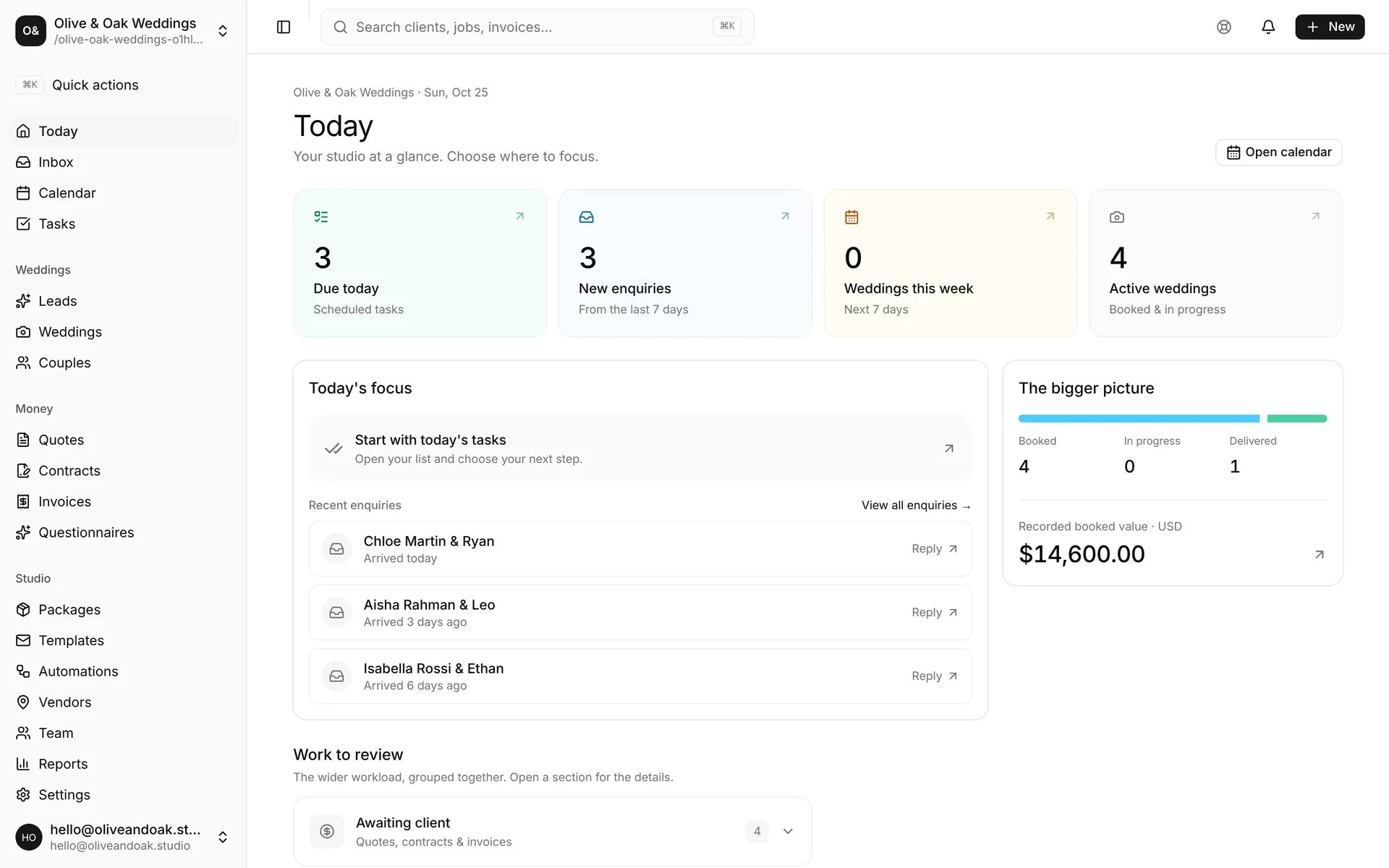
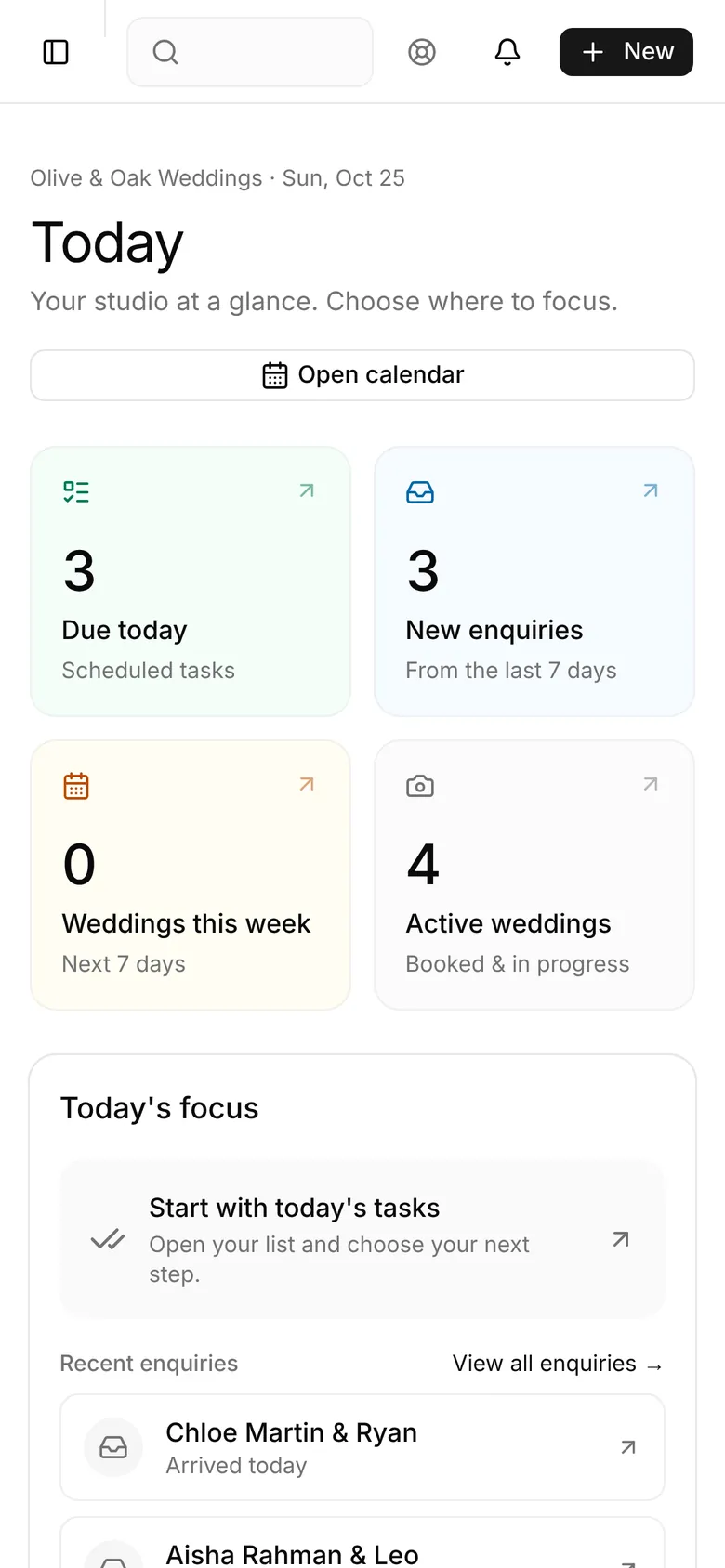
Real screenshots of FrameFlow running a sample studio. Nothing here is a mock-up.
One place for every couple.
Enquiry, quote, contract, invoices, questionnaire and wedding-day plan live on one job. No copying details between five tools, no hunting through Gmail for what you promised.
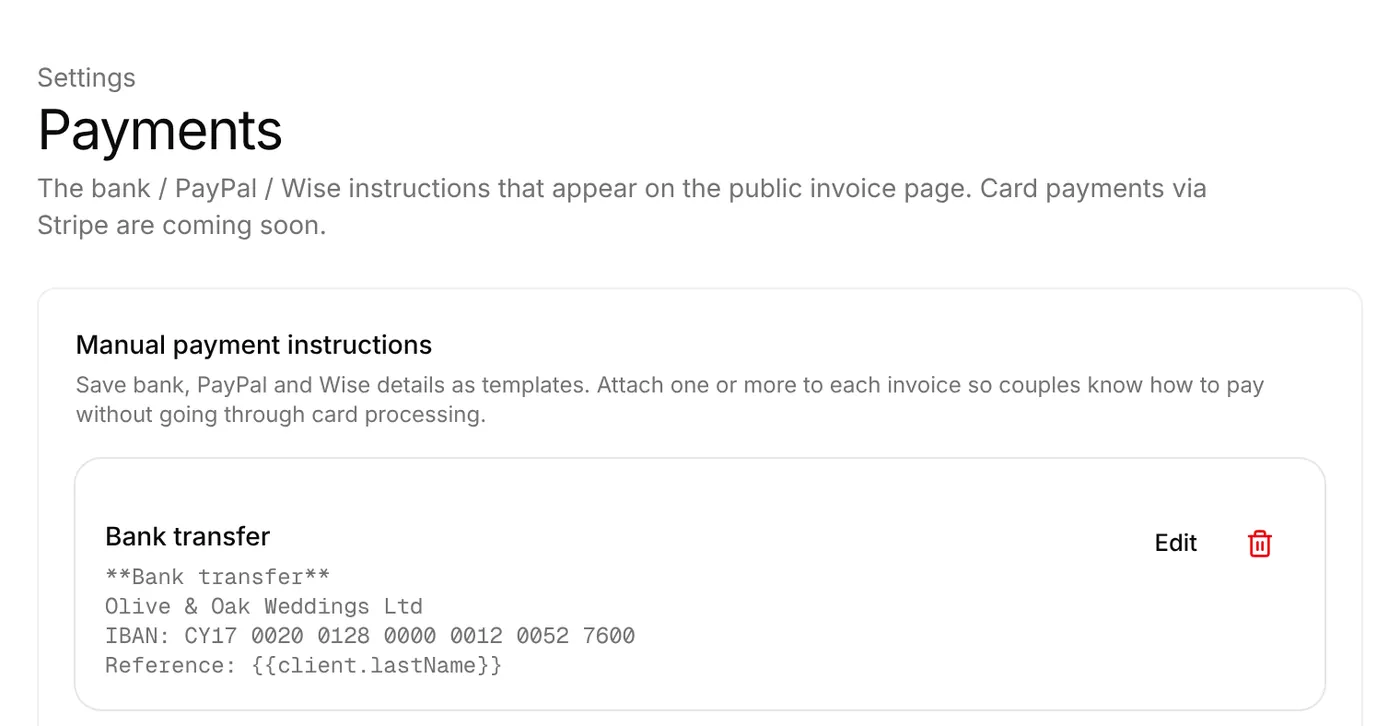
Invoices that tell couples how to pay.
Deposit and balance invoices carry your bank, Wise or PayPal details, an automation chases anything overdue, and FrameFlow takes nothing from the booking.
A portal that looks like your studio.
Couples get one link for their documents, payments and plans, styled with your own palette, fonts and words.
See exactly what you get.
Inquiry on Tuesday. Contract by Friday. Months of planning, a wedding day, a gallery delivered. These are the screens you and your couples use for every step, straight from the app.
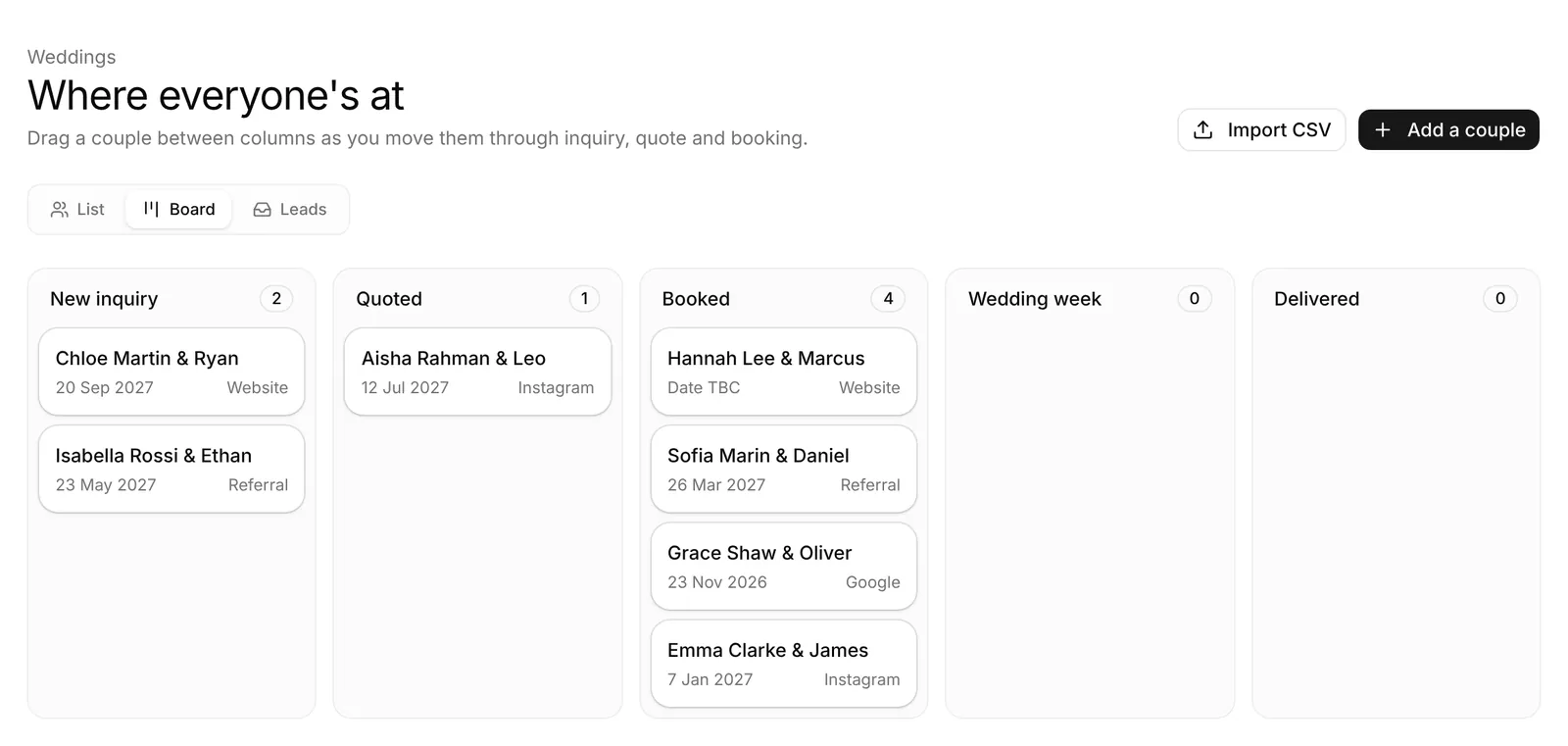
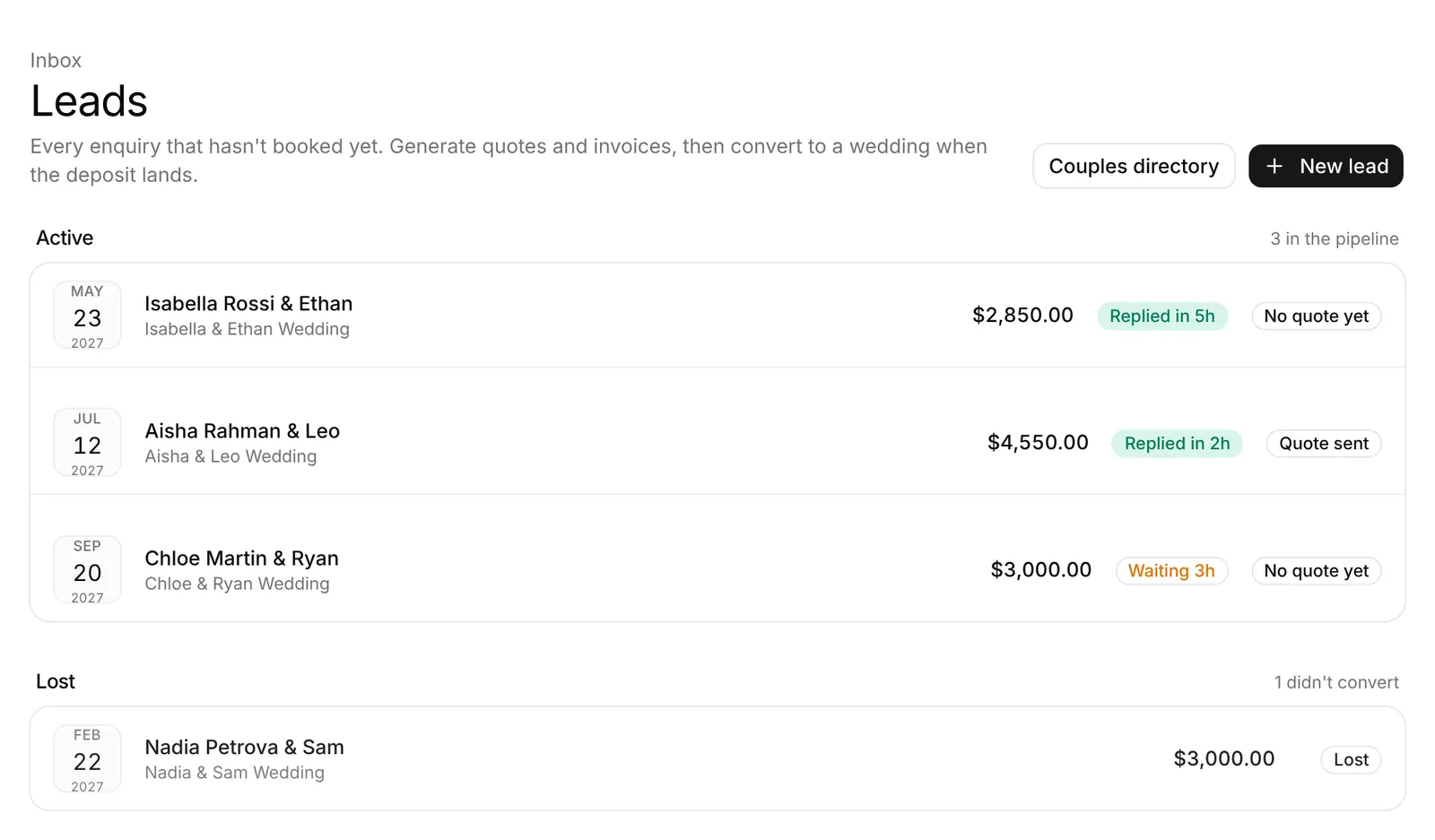
Every enquiry, and exactly where it's at.
Enquiries from your booking form land with their date, venue and budget. See who's waiting on a reply, who has a quote out, and drag couples across the board as they book.
- Reply-time badges so nobody waits days for an answer
- Board view from enquiry to delivered
- Lead source on every couple, so you know what's working
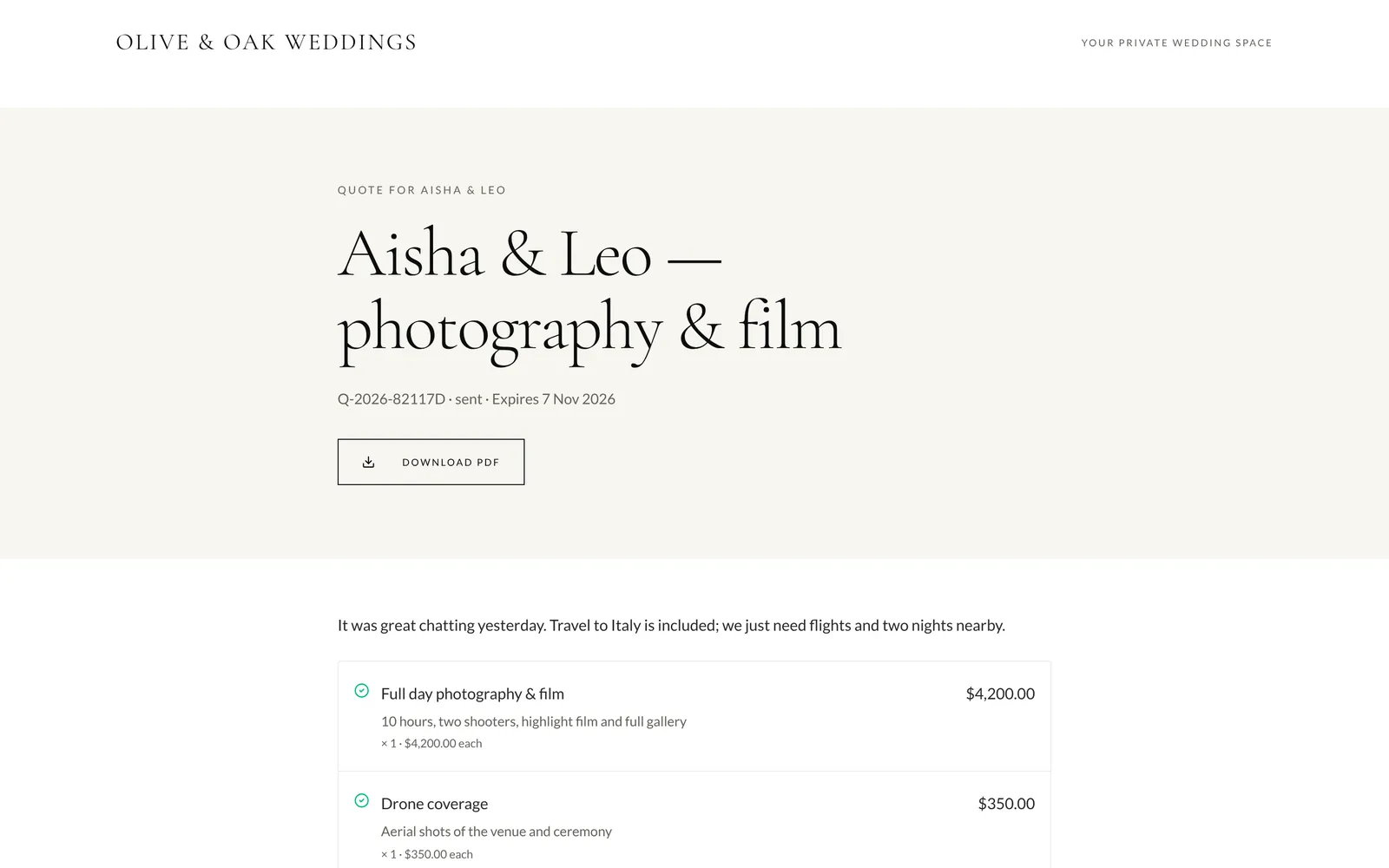
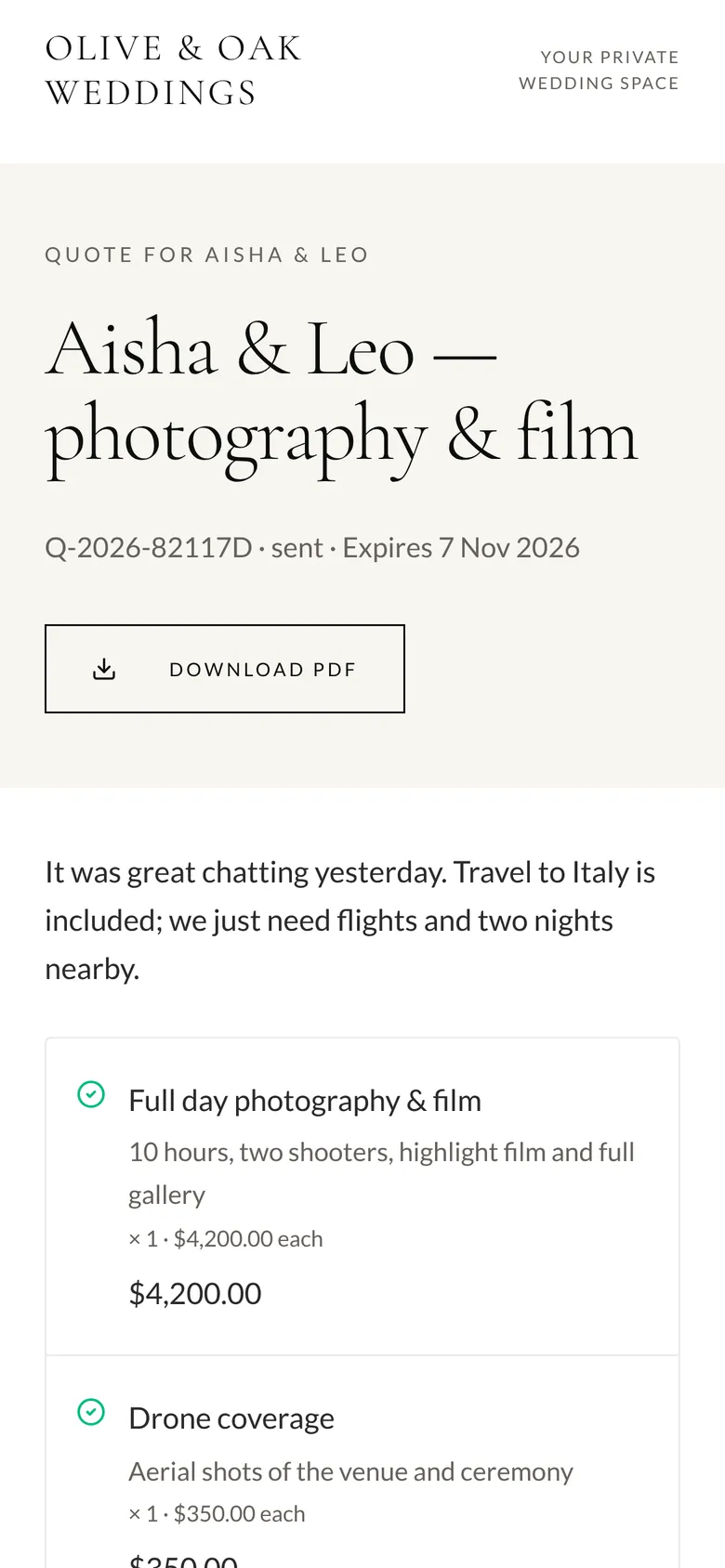
Quotes they can say yes to on their phone.
Send a quote from your packages with optional extras the couple can tick. When they accept, the contract fills in their details and they sign it in the browser. You counter-sign, and both of you keep a PDF.
- Prices prefilled from your packages
- Built-in e-signature with an audit log
- No DocuSign account for you or the couple
Get paid in full, with nobody taking a cut.
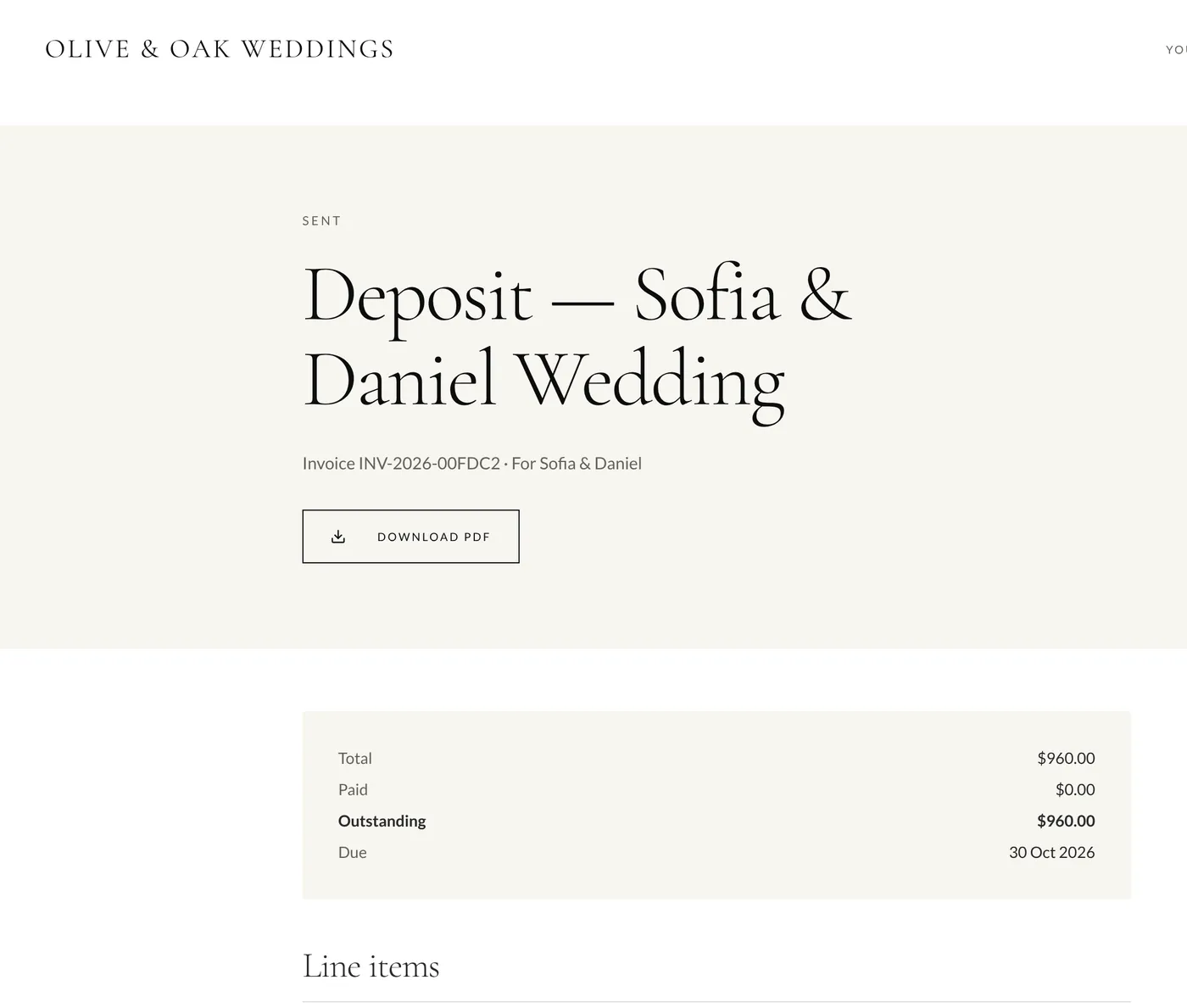
Every invoice shows the couple what's due, when, and how to pay you: bank transfer, Wise or PayPal, from templates you write once. Mark it paid in one click, and let an automation chase anything overdue.
- Deposit and balance invoices from the quote
- Your payment details on every invoice page
- FrameFlow takes 0% of your bookings
- Card payments via Stripe: coming soon, still 0% from us
The wedding day, in your pocket.
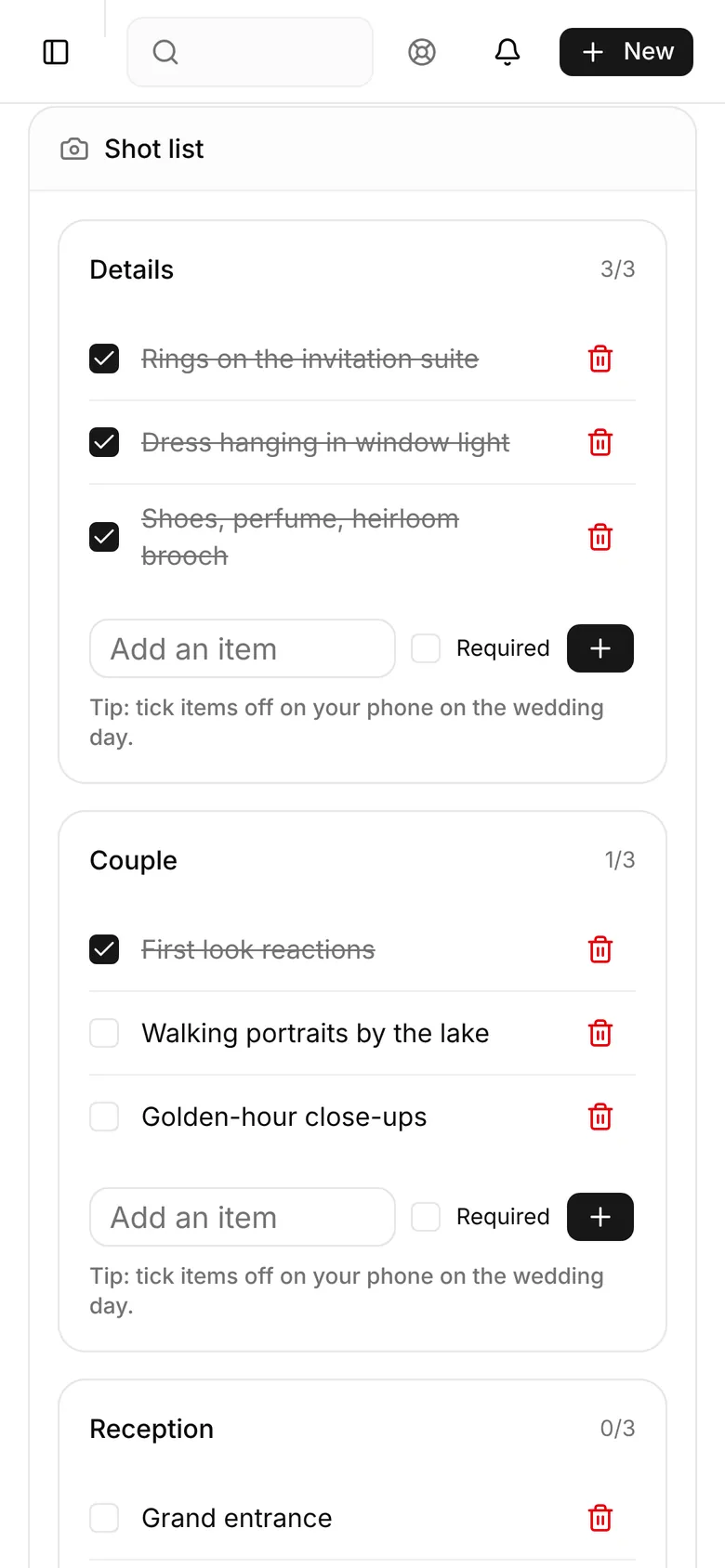
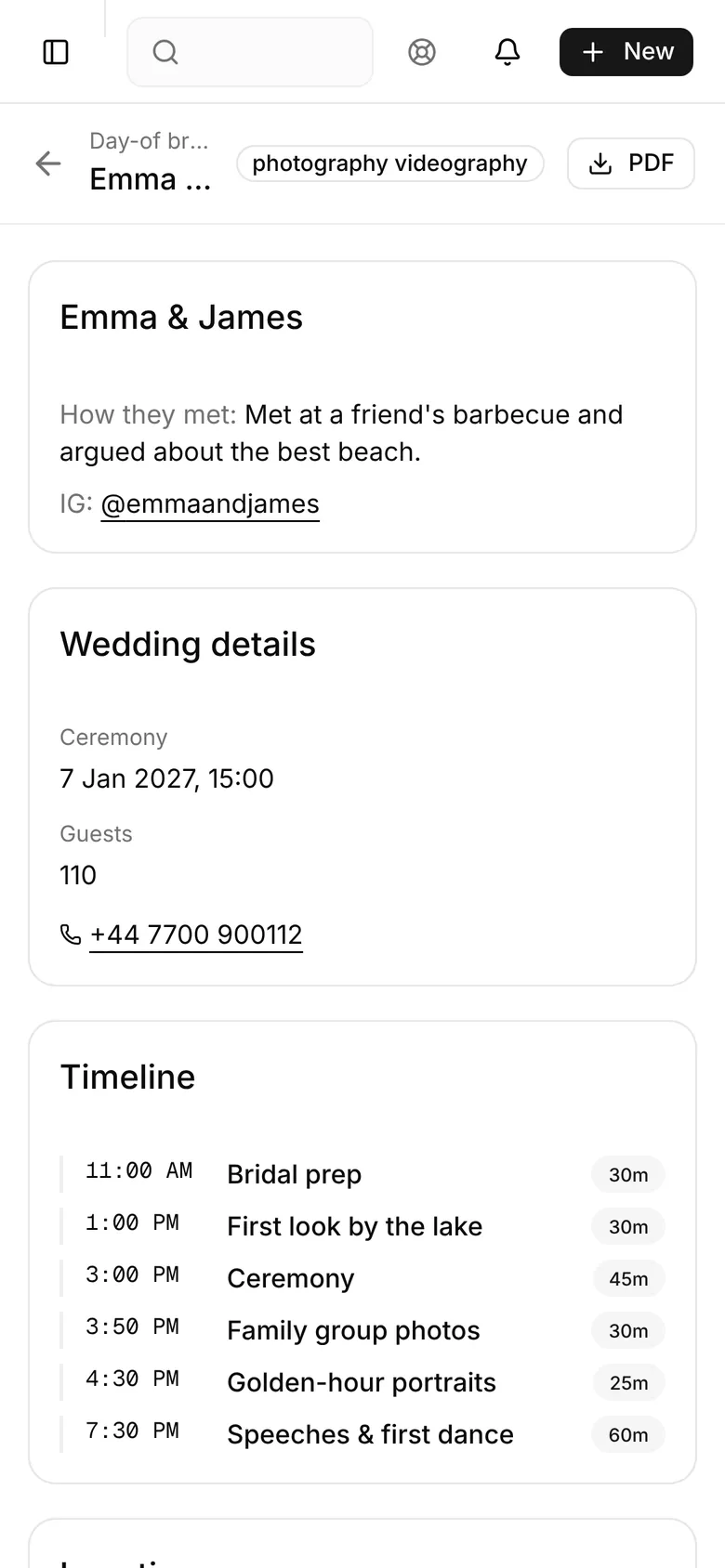
Wedding-day mode puts the timeline, the shot list and the group-photo planner on one phone screen. Tick shots off as you go. The day-of brief has the couple, the venues and every time slot for your second shooter.
- Shot list with sections and a running count
- Group-photo planner adds up the minutes per set
- Day-of brief and PDF for your second shooter and the venue
Know what's booked, collected and still owed.
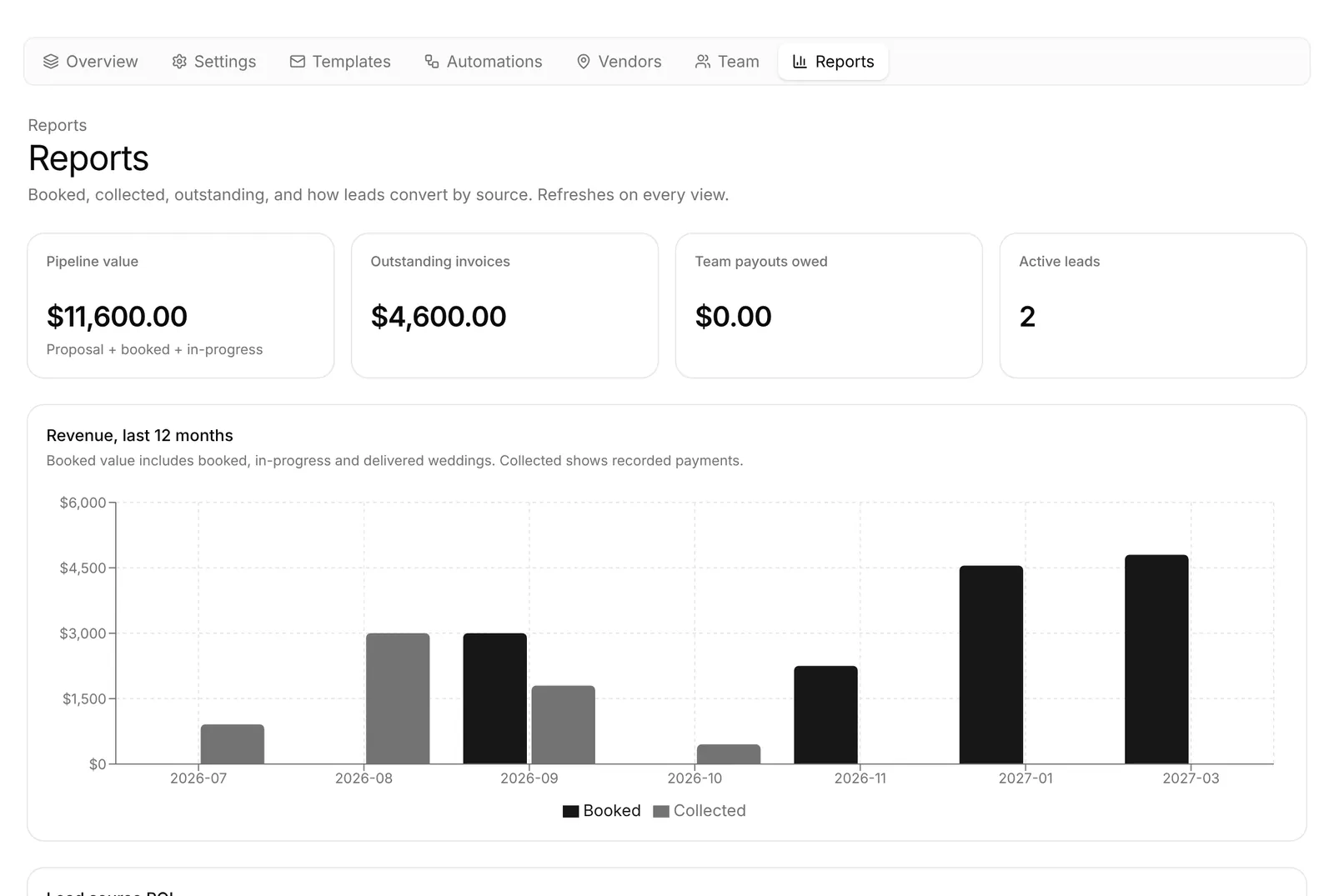
Pipeline value, outstanding invoices, team payouts owed and revenue by month, with booked and collected side by side. Lead-source ROI shows which enquiries actually turn into weddings.
- Revenue for the last 12 months, booked vs collected
- Outstanding invoices at a glance
- Money exports as a spreadsheet for your accountant
Bring your clients with you. Don't retype them.
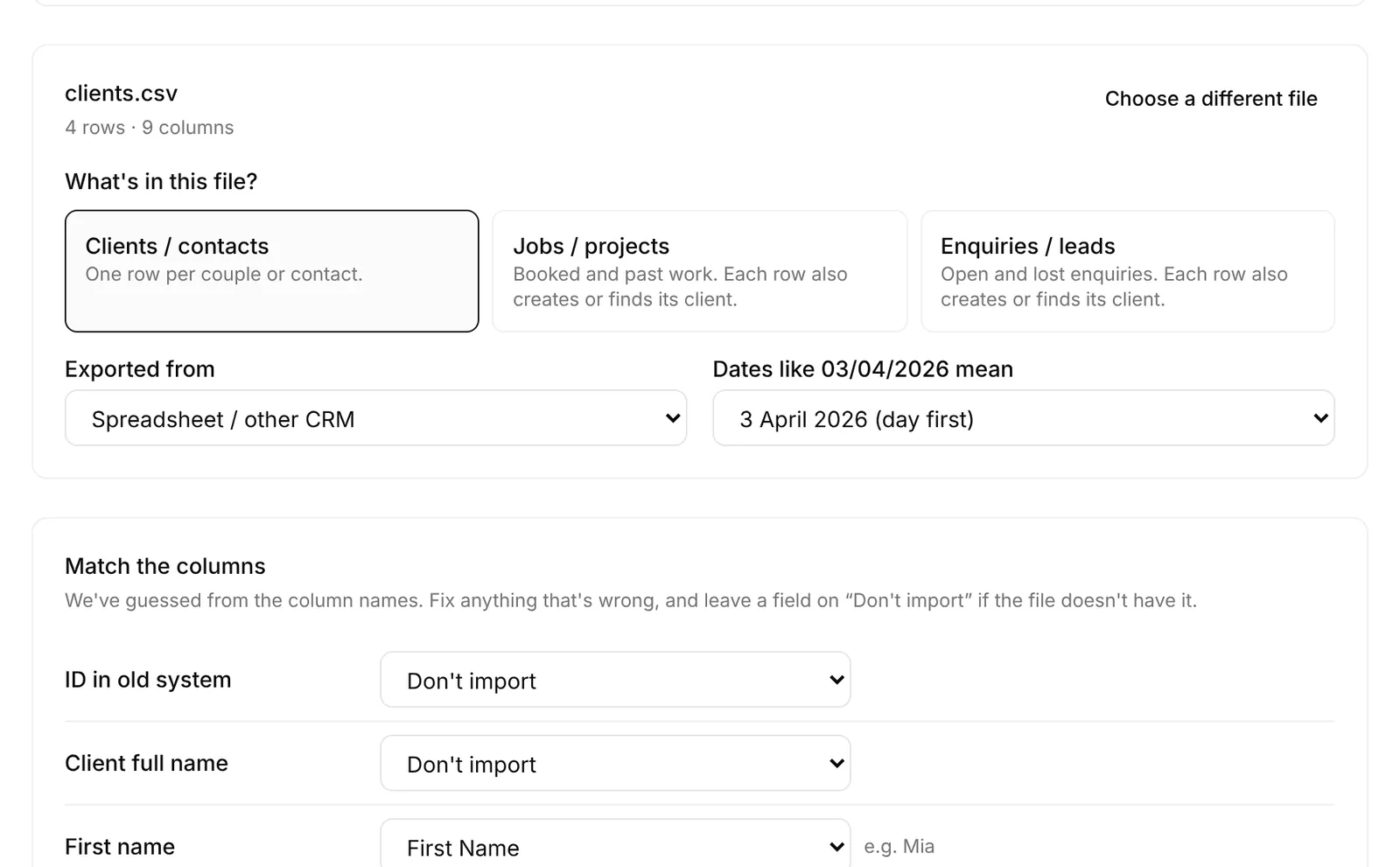
Moving CRM shouldn't mean a weekend of copy and paste. Export from Studio Ninja, HoneyBook or any spreadsheet and FrameFlow does the matching for you.
- 1
Export from your old CRM
A CSV of your clients, jobs, enquiries or invoices. Studio Ninja, HoneyBook and every spreadsheet app can make one.
- 2
Upload it and check the columns
FrameFlow recognises Studio Ninja and HoneyBook exports and guesses the rest. Fix any column with one dropdown.
- 3
Preview, then import
See every row before anything is saved. Couples aren't emailed, and re-importing the same file never makes duplicates.
Let your AI assistant move it for you.
Connect Claude in one click (or Cursor and Codex with an API key), give it your old CRM's export, and it can create your couples, enquiries and past weddings, carry notes across and bring over past invoices with their payments. It can't send anything to couples, charge a card or delete anything.
One link for the couple. Styled like your studio.
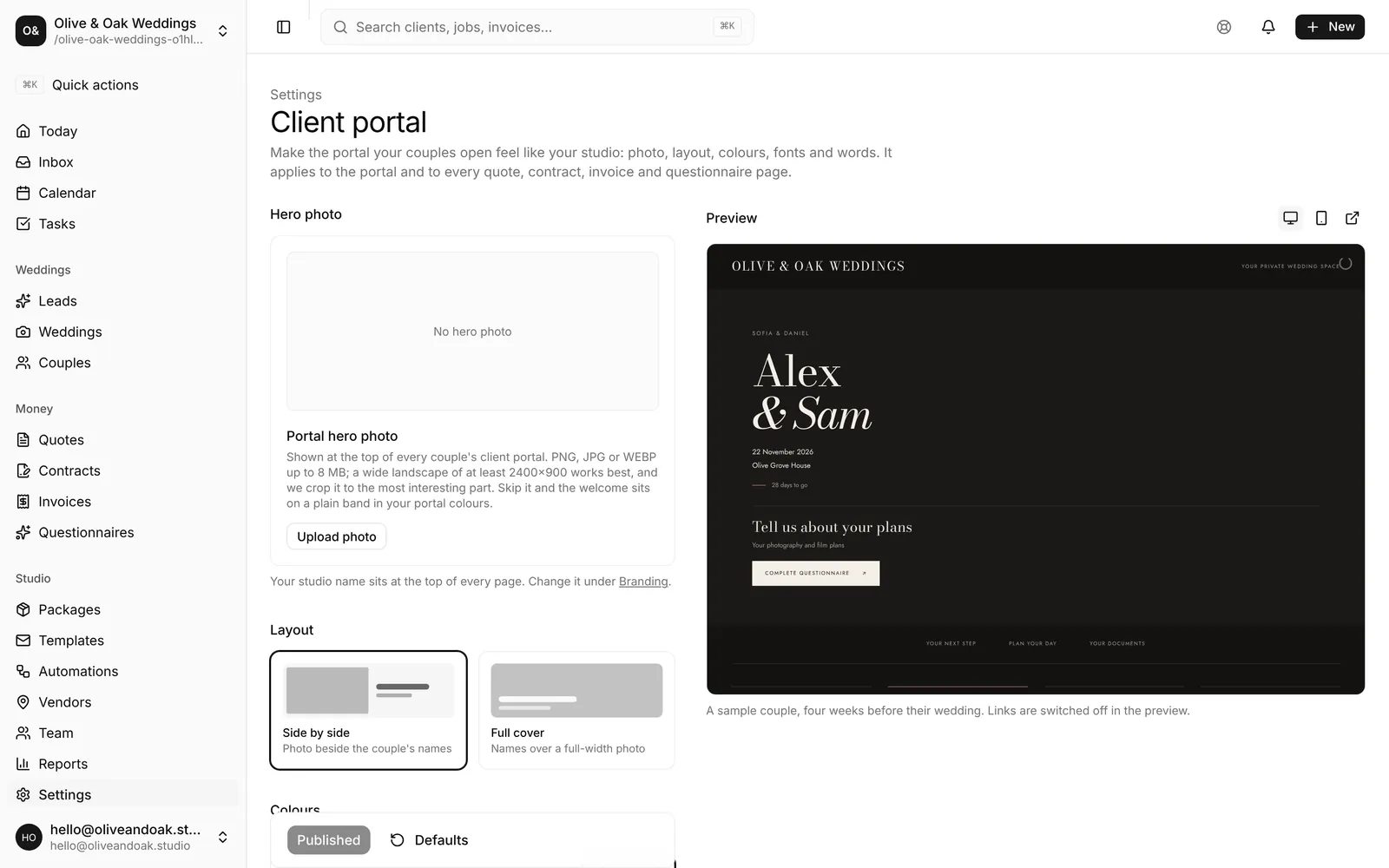
Couples open one link, with no password, and find their next payment, their plans and every document. Pick the palette, accent, fonts, layout and welcome words, and the same look carries through to every quote, contract, invoice and questionnaire you send.
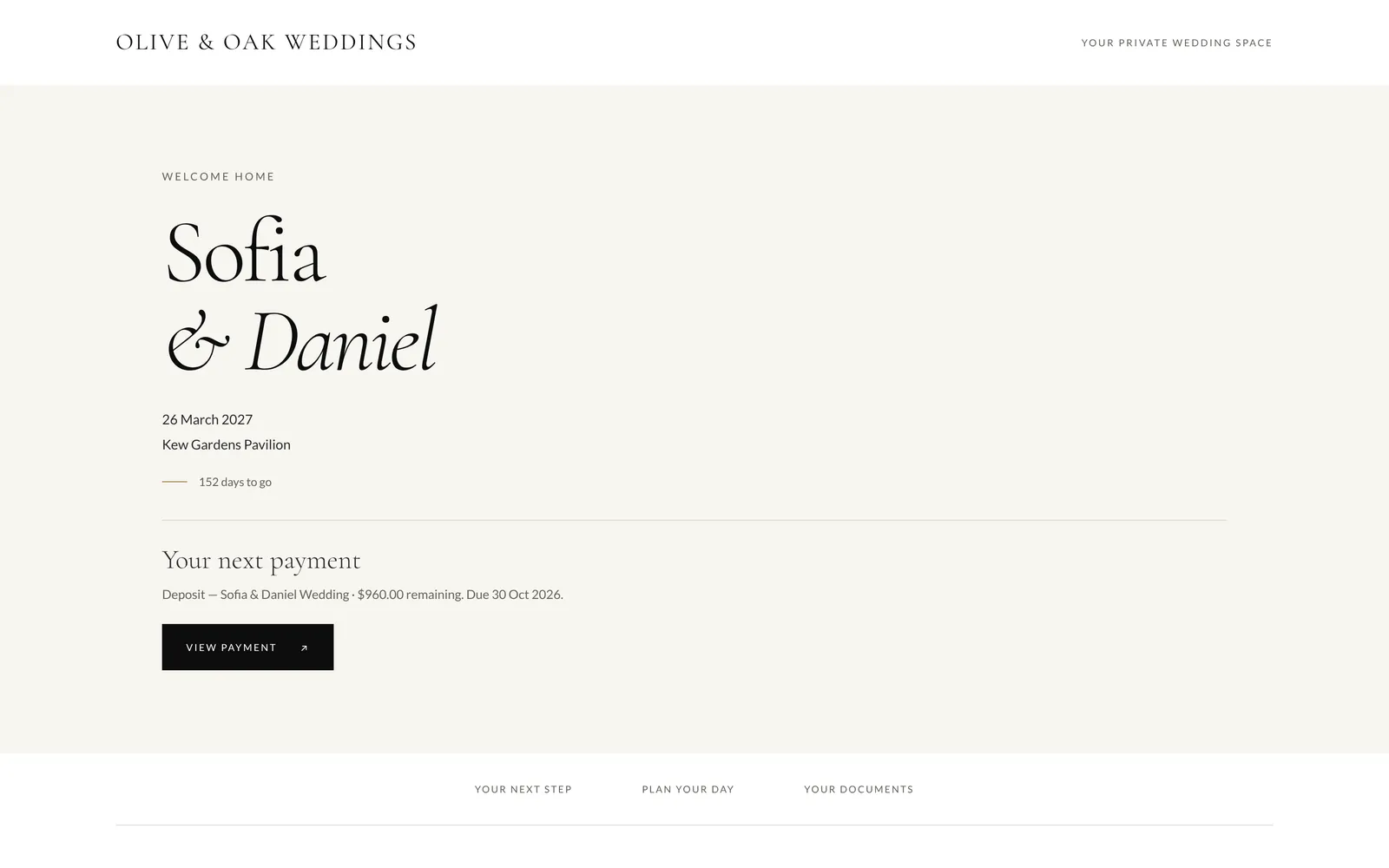
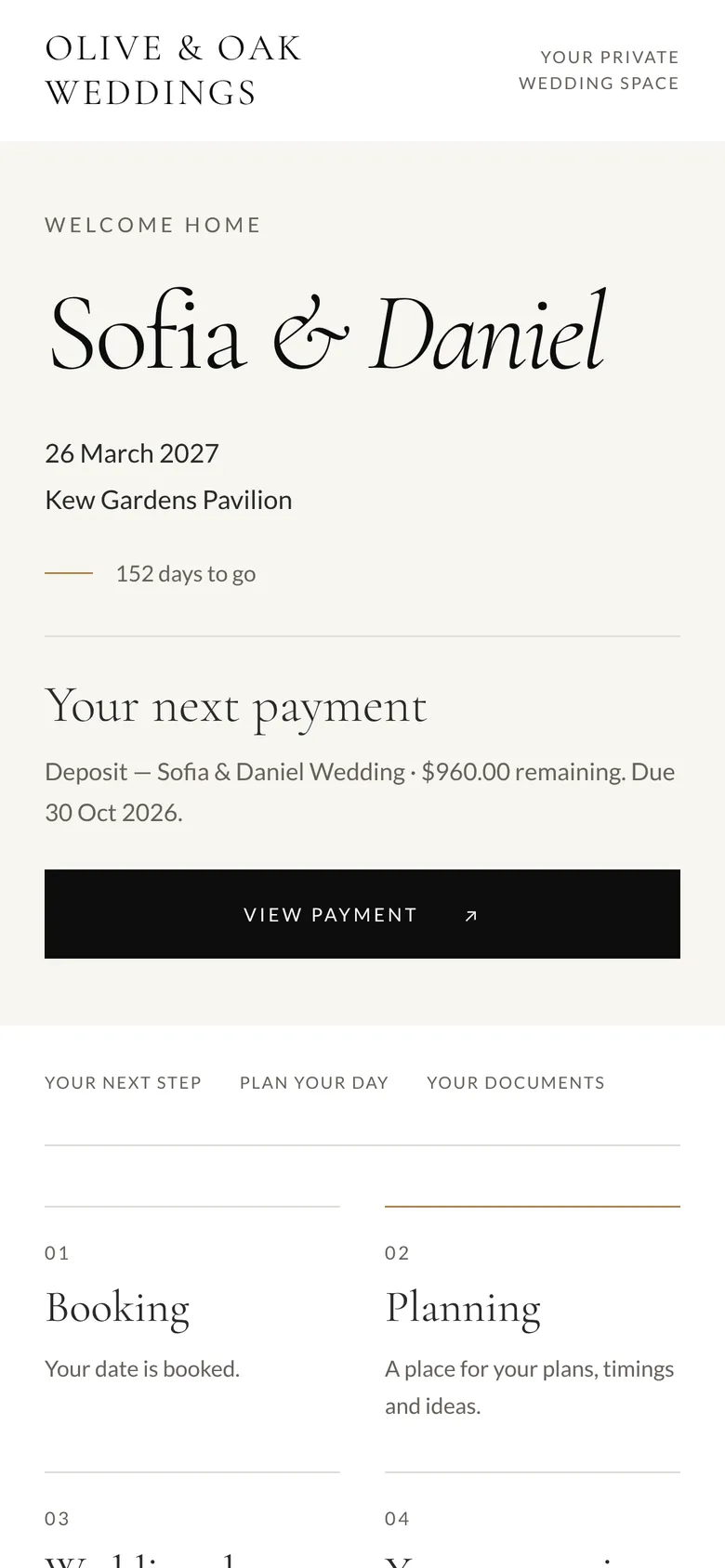
Ivory · Cormorant · Lato
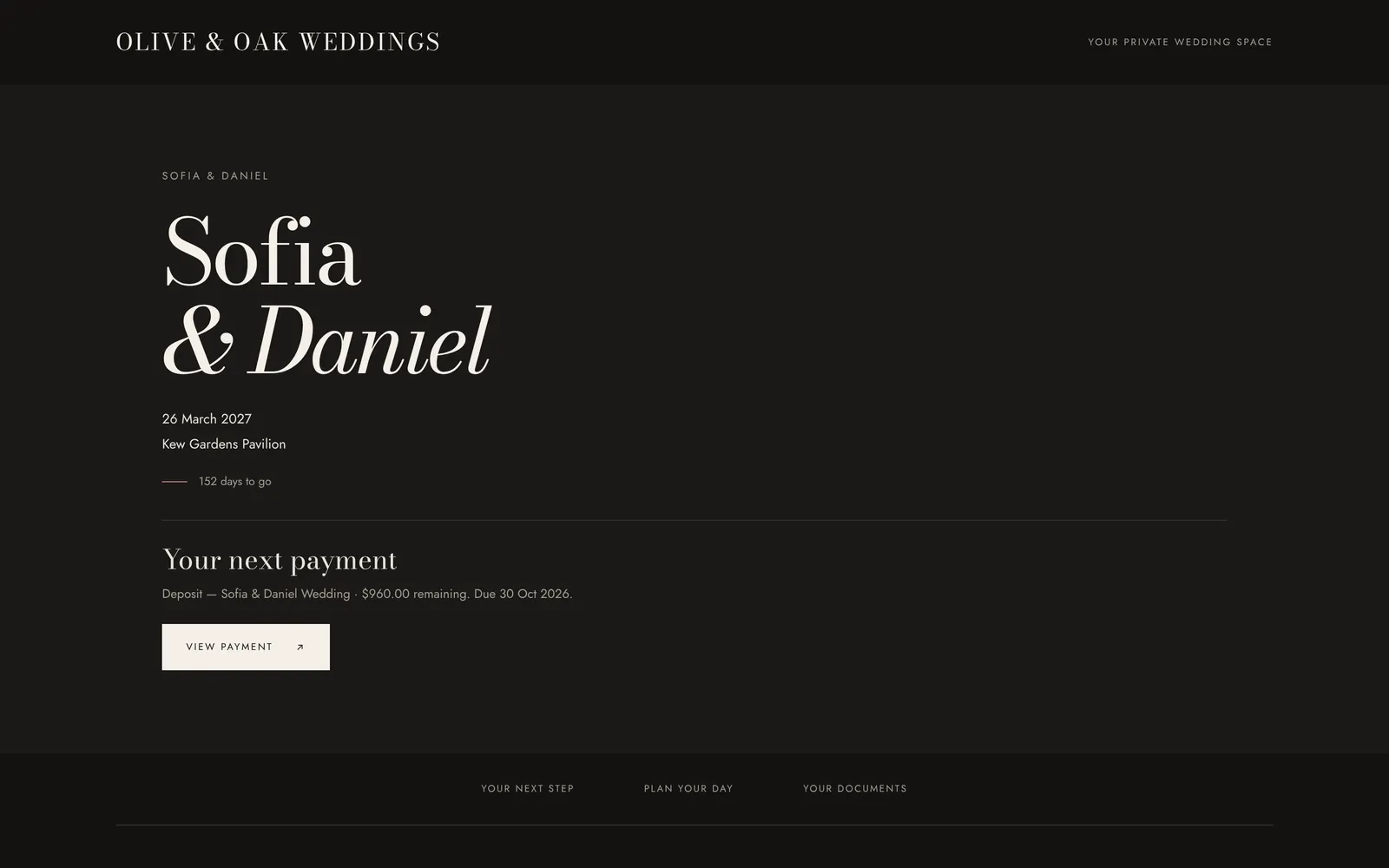
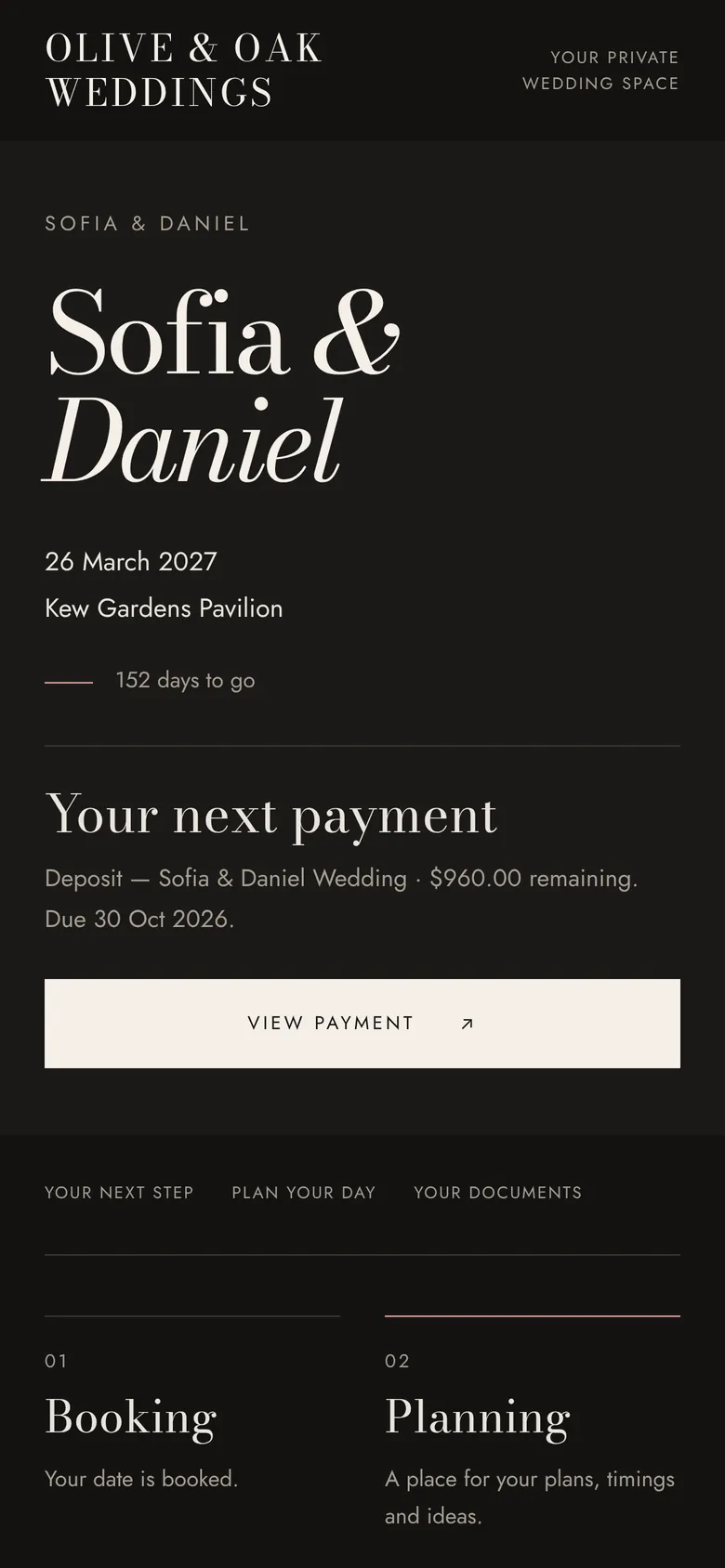
Midnight · Bodoni Moda · Jost
Design it in a minute, with a live preview.
Settings → Client portal: hero photo, side-by-side or full-cover layout, four palettes, any accent colour, eleven heading and six body fonts, and your own welcome message. Your logo and hero photo work on every plan; the full designer comes with Studio.
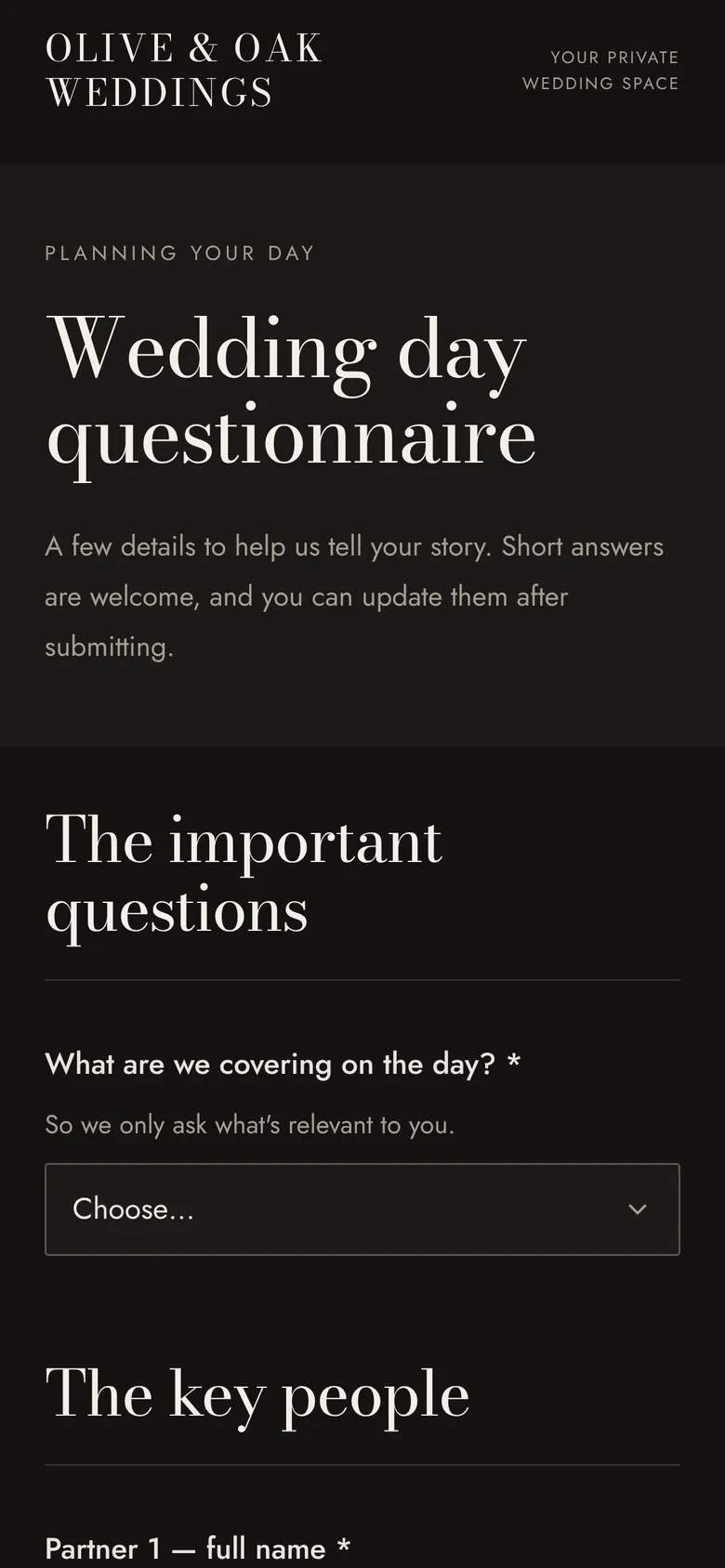
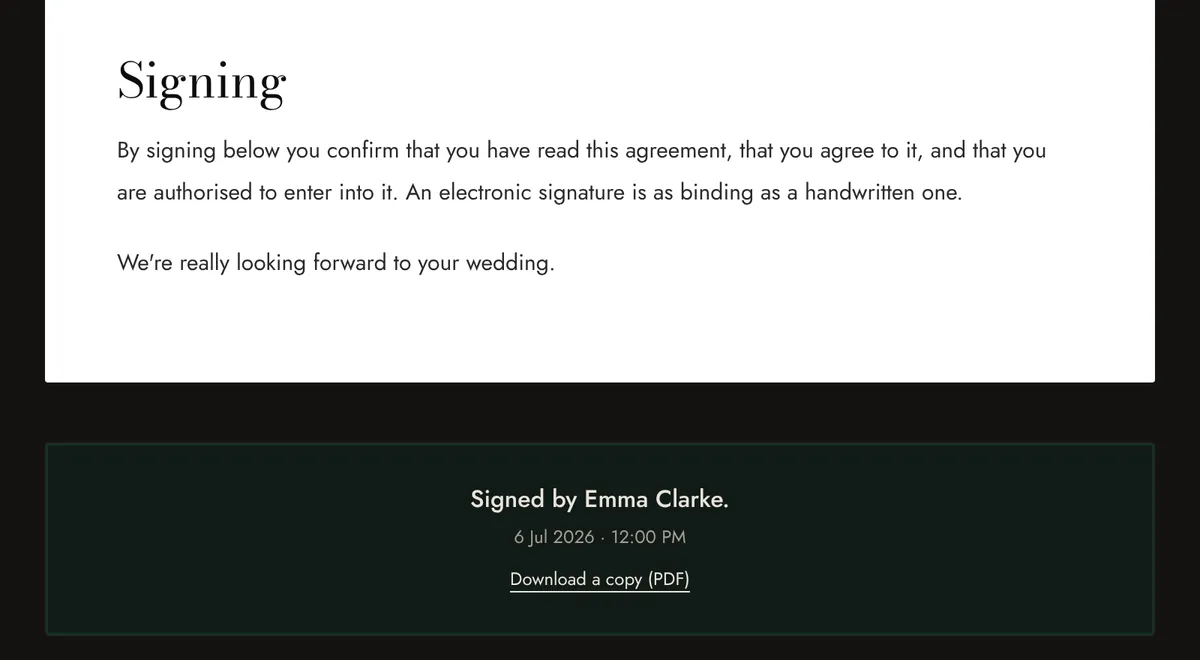
A questionnaire and a signed contract, in the same studio look.
One wedding, eighteen months, one app.
Most CRMs handle the booking and leave you stranded on the wedding day itself. Here's what a real job looks like in FrameFlow — from the inquiry email to the second shooter being paid out.
- 01Tuesday, 10:14am
The inquiry lands.
A couple finds your booking form, fills in their date, venue, and budget range. The lead drops straight into your pipeline with everything they wrote — no copy-pasting from Gmail. You write one reply, and every email after that stays stuck to the job for life.
- 02Wednesday afternoon
Quote out in two minutes.
Drag in your standard package. Add the optional extras you usually charge for — extra hour, second shooter, raw files, album upgrade. Hit send. The couple opens it on their phone, ticks the boxes they want, and accepts.
No back-and-forth. No PDF attachments. No "sorry, did you mean with or without the raws?" three days later.
- 03Friday
Contract signed, deposit paid.
FrameFlow generates the contract from your template, drops in the couple's details, and emails them a signing link. They sign on their phone, you counter-sign. The deposit invoice goes out with your payment instructions — bank, Wise, PayPal, your call. They pay, you mark it received.
Neither of you needs a DocuSign account. None of the deposit gets skimmed by a payment processor.
- 04The months in between
Plan the day from the couple's own answers.
Send a questionnaire — vibe, family dynamics, the song they're walking down the aisle to, which uncle is making the speech. Their answers land on the job, next to the timeline. You drag the blocks until it's right, then share a read-only link with the venue and the second shooter so everyone's reading from the same page.
- 05Saturday, 7:42am
Open your phone at the church door. No signal.
The pages you opened before you lost signal stay readable — shot list, timeline, group photos. The group-photo planner adds up the time per set, so you know if you're about to run over before the celebrant does. The full timeline is right there too, so you stop pulling out a printed PDF that's already gone soggy.
- 06The Tuesday after
Deliver without writing another email.
Drop the Pixieset or Pic-Time link into the job. The couple opens their portal and the gallery is just there — alongside their contract, their invoices, their timeline, and the album order form. They never have to dig through their inbox for a link you sent six months ago.
- 07Wrapped
Final invoice paid. Second shooter paid. Job closed.
Raise the final-balance invoice when the gallery goes out. Payment lands, the job moves to Wrapped, your second shooter's owed-amount turns green on their dashboard. The whole job — every email, every file, every contract — stays archived against the couple's name. Search it any time.
The bits other CRMs make you bolt on yourself.
- 01
Automations, on every plan
“Contract signed, create the shot-list task.” “Invoice overdue, chase it.” Set once. HoneyBook and Dubsado paywall this; you get it free.
- 02
A booking form that feeds the pipeline
A hosted form or an iframe embed for your own site — replaces Typeform and Jotform. Enquiries land in the pipeline with the source attached.
- 03
A checklist that ticks itself
Lead → quote → contract → shoot → wrap. Steps complete as the emails go out and the invoices land.
- 04
Vendor cheat sheet
Parking, sunset, getting-ready rooms. Tap-to-call from the venue car park.
- 05
Second-shooter pay tracking
Agreed rate per job. Mark as paid. A clean summary waiting at tax time.
- 06
Per-job profit & loss
Contracted revenue minus crew pay minus expenses, per wedding. One-click accounting CSV export at year-end.
- 07
Drop in your gallery link
Paste any gallery URL — Pixieset, Pic-Time, ShootProof, your own site. The couple finds it in their portal. No re-uploads, no extra emails.
- 08
Get paid your way — 0% cut
Per-invoice instructions for bank transfer, Wise or PayPal, and one click to mark it paid. On an $8,000 booking, a 3% processor fee is $240. We take nothing. Card payments via Stripe are coming soon, still with no FrameFlow cut.
What photographers ask before they switch.
Direct answers to the six questions every Studio Ninja, HoneyBook and Dubsado customer asks before they move.
- Can I bring my existing clients and jobs over?
- Yes. Export a CSV from Studio Ninja, HoneyBook or a spreadsheet, then use Settings → Import from another CRM. FrameFlow maps the columns and brings in your clients, jobs and enquiries, so you don't retype them. Contracts, invoices and files stay behind, so keep a copy of those. If you use an AI assistant like Claude, it can do the moving for you through FrameFlow's MCP server.
- What about second shooters and my team?
- Add them as team members and assign them to jobs, with a rate per job, a mark-paid button and a year-end summary at tax time. Be aware that team members currently see the whole workspace, not only their own jobs — per-role visibility is on the list, so for now only invite people you'd be comfortable showing the full client list.
- Will my emails actually deliver?
- They send from our authenticated domain, with your studio name as the sender and replies routed to your own address — so the couple sees you and answers you. Sending from your own domain isn't available yet; it needs per-studio DNS verification we haven't built.
- Does it really work on my phone?
- Yes — the wedding-day tools are designed phone-first, and you can install FrameFlow to your home screen. One caveat worth knowing before the day: pages you've already opened stay viewable if signal drops, but ticking a shot off needs a connection. Offline ticks aren't stored yet.
- What if I want to leave one day?
- Your data is yours. One click exports the entire workspace — every job, client, contract, invoice and email — as JSON, and the money side also exports as CSV. No upcharge, no friction, no "contact support to request your data." We don't believe in holding data hostage.
- Do you take a cut of my payments?
- No. We don't take a percentage. Today couples pay you directly by bank transfer, Wise or PayPal using the instructions on your invoice, and you mark it paid. Card payments via Stripe are coming soon, and they'll go straight to your own Stripe account with only Stripe's standard fee. The full booking fee lands in your account, not ours.
Free until it's booking you weddings.
One studio, one price, billed yearly. No per-couple fees, no tiers that lock the good features behind another $40 a month.
Free
For testingforever — for testing it on a real wedding
- One studio, one user
- Up to 3 active jobs
- Quotes, contracts, invoices
- Inbox on a FrameFlow address
- Full wedding-day toolkit
- Couple portal with your logo
- Calendar feed for Google, Apple or Outlook
Studio
Most studiosper year — works out to $20 a month
- Unlimited clients and jobs
- Add your team and second shooters
- Design your couple portal: fonts, colours, layout
- Everything on Free, with the caps removed
- Priority support from a real person
Built by a wedding photographer, for wedding photographers.
It started as the tool we wished existed inside our own studio. Then we built the things the big CRMs never will: a shot list that stays viewable in cathedrals with no signal, a group-photo planner that respects the day's actual schedule, and an inbox that never loses a reply.
- Email inbox built into every job
- One-link couple portal, no passwords
- Drag-and-drop wedding-day timeline
- Calendar feed for Google, Apple or Outlook
- Bank, Wise or PayPal instructions on every invoice
- FrameFlow takes 0% of your bookings
- Wedding-day tools viewable when signal drops
Try it on this weekend's wedding.
Free plan, no card. Spin up a workspace, add this weekend's job, run the morning with it. If it hasn't earned its keep by Sunday night — leave.